In 2013 @torsten wanted to set up a batch job manager for the Wunderlist data pipeline. Evaluating Amazon Data Flow, Oozie and Luigi all seemed to be overkill. Inspired by Jeff Hammerbacher he started out rolling one Makefile started by a cronjob. In two years this tool has been grown to accomodate the needs and in 2015 we open sourced the skeleton of the add-ons that make your life easier going old skool and seventies or KISS, you may say.
This repo is currently in production reaching out to dozens of sources and running hundreds of SQLs. If you are interested in our setup, check out this presentation.
Makefilewrapper that gets triggered bycron. It tries to run it at mostNIGHT_SHIFT_MAX_ATTEMPTStimes.- Runs all make targets in a trackingshell, so timing information, output and errors could be logged. You can add extra steps too (e.g.: upload results into S3).
- Has a timer script for
cronlike target timing. - Has a script to inject conditionals, variables and
Rubylogic intoSQL. - Converts
SQLresults intoCSVfrom mysql, postgresql, mssql and redshift. - Tests to keep your makefile clean.
- Has a
Flaskapplication to monitor your logs.
Our mantra is “Keep it simple” and “Don’t re-invent the wheel“. According to this we have a few solid principles:
- Use
cronfor scheduling. - Use
makefor dependencies, partial results, and retries. - Glue everything together with a hand full of bash script.
- Most process handling and output redirection should be handled by
bashandmake. Because they are good at it and it is more work to do right inRubyorPython. - All complex logic (and math) should be in
RubyorPython.
- Most process handling and output redirection should be handled by
- Use
PythonorRubyfor the actual workers. - Inject variables and logic into SQL with Ruby’s
ERB.
Running night-shift/lib/run_workflow.sh will
- start/continue your makefile execution
- log every target into
logs/<date>/trackingshell.log,logs/<date>/timing_env.logandlogs/<date>/targetname.log. - log every attempt into
logs/<date>/attempt-*.log.
Running night-shift/lib/run_sql_template.rb will inject variables into SQLs and execute them. You have to define --dialect and --config parameters.
$ night-shift/lib/run_sql_template.rb --dialect redshift --config config/dbname_redshift.sh --var1name value --var2name value \
    script/template1.erb.sql \
    script/template2.erb.sql
Running night-shift/lib/run_at.py will give you cron line target scheduling.
$ night-shift/lib/run_at -r '1,8 * *' -c 'command'Running night-shift/tests/run.sh will
- test for makefile target for production
- collect unused or wrong makefile targets
- check unused files in the script folder
- check unused template variables.
Running night-shift/web/app.py will
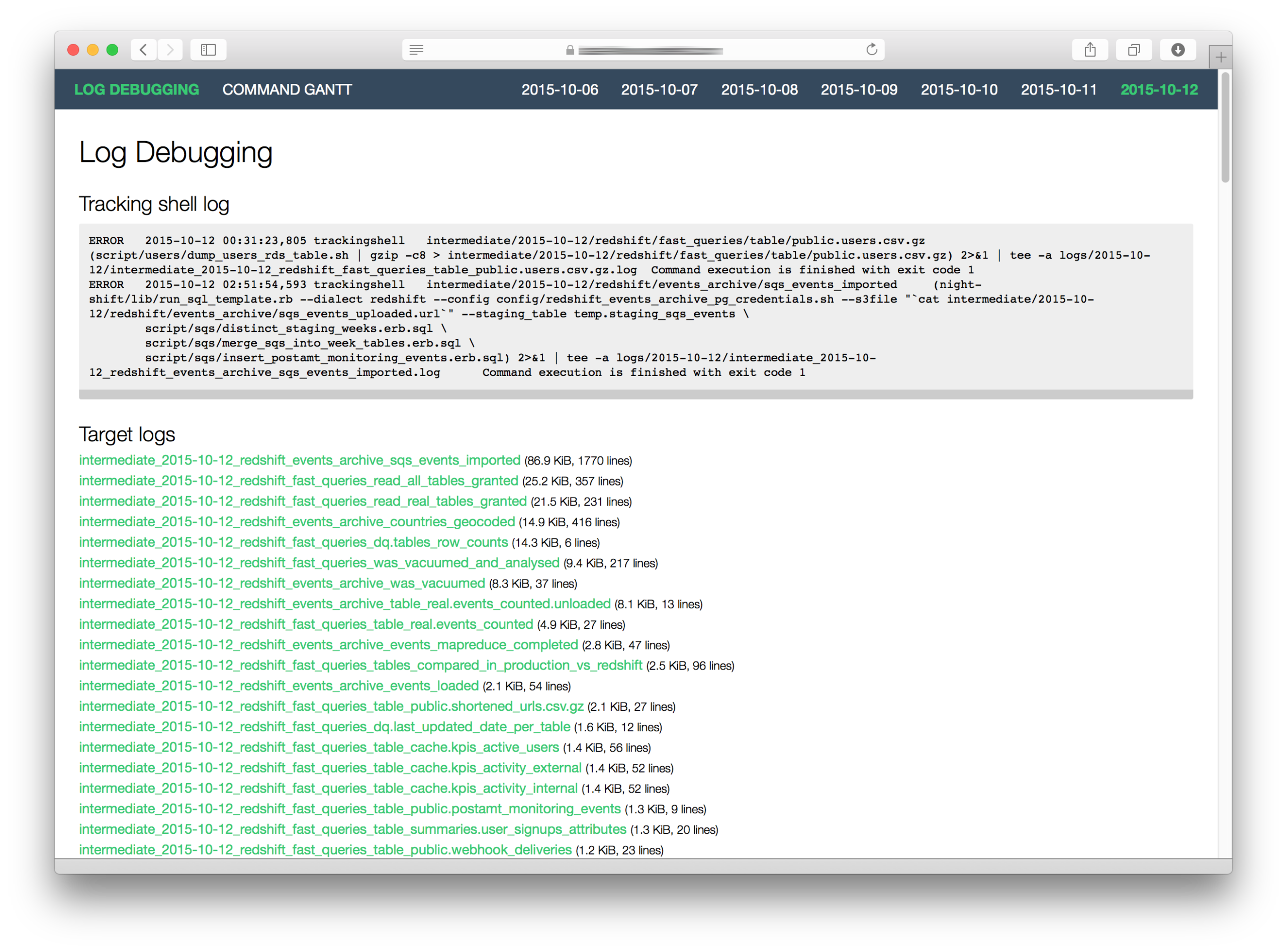
- give you a debug interface for your log files.

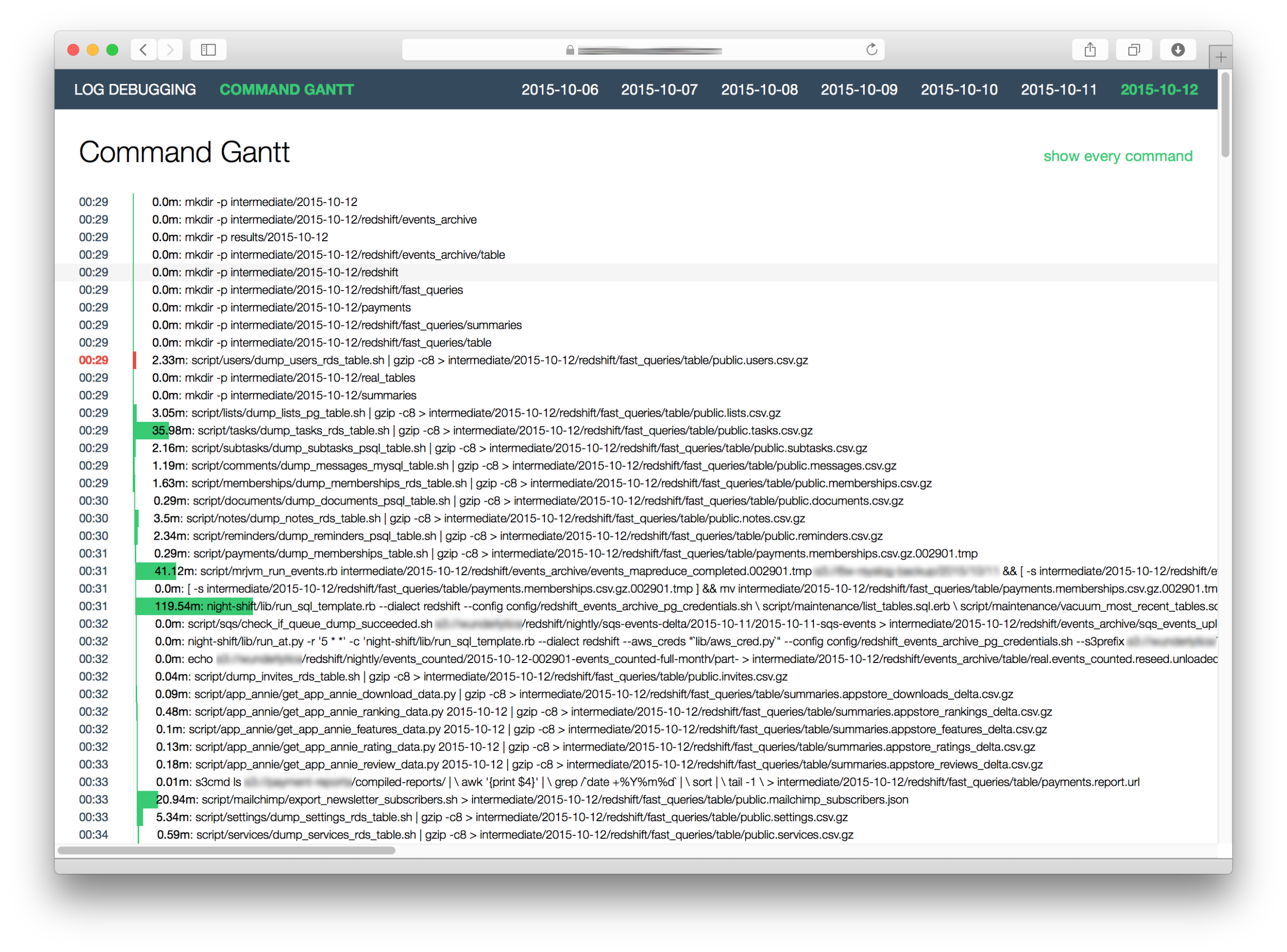
- visualize the command gantt

There’s also a test for checking whether log size is below or above threshold.
Please install Python 2.7 or 3.3+, the corresponding PyPy or PyPy3 and Ruby.
-
Create a directory for your data-flow.
-
Add night-shift as submodule.
$ git submodule add git@github.com:wunderlist/night-shift.git -
Install dependencies.
$ pip install -r requirements.txt $ pip install -r web/requirements.txt # for web interface -
Install dialects’ dependencies:
-
Create a folder for config files and scripts.
$ mkdir config script -
Set your configurations. You can find samples in the
night-shift/configdirectory.$ cp night-shift/config/dialect_postgres.sh.sample config/dbname_postgres.sh $ nano config/dbname_postgres.sh
Change the parameters in the file.
export PGHOST="localhost"
export PGPORT=5432
export PGDATABASE="dbname"
export PGUSER="username"
export PGPASSWORD="password"
-
Create a
makefile.$ echo "include night-shift/lib/boilerplate.mk" > makefile
-
Write your own make targets. You can extend the build in targets like:
- scaffold: Create necessary directory structure.
- nuke: Removes every file. Gives you a clean slate during development.
- cleanup: Terminate pending resources.
- backup: Backup files after the nightly.
Extending is easy (use
::after the target’s name):scaffold:: intermediate/$(TODAY) intermediate/$(TODAY): mkdir -p $@
-
Set up your night-shift configuration file.
$ cp night-shift/config/night_shift.sh.sample config/night_shift.sh
$ nano config/night_shift.sh
Add your top level targets after
scaffoldthat you want to execute.export NIGHT_SHIFT_TARGETS="scaffold"
Set data-flow directory’s path.
export NIGHT_SHIFT_PROJECT_DIR=""
Set the number of parallel jobs (recommended: vCPU+1):
export NIGHT_SHIFT_PARALLEL_JOBS=5Set the maximum attempts:
export NIGHT_SHIFT_MAX_ATTEMPTS=23 -
(On production) Extend your
cronsettings. with
source config/night_shift.sh && night-shift/lib/run_workflow.sh You can check out the examples folder for working examples.
You can track the target execution of a makefile with this tool easily. If you need more logs or you want to add some automatic magic before/after every target execution.
Create a lib/tracking_shell.py file.
import trackingshell as ts

# import the trackingshell of night-shift
night_shift_ts = imp.load_module('tracking_shell', *imp.find_module('tracking_shell', ['night-shift/lib/']))

# define your own plugins
# more information: https://github.com/wunderlist/trackingshell
...

if __name__ == '__main__':
    shell = ts.Shell(sys.argv[1:])
    shell.parser.add_argument('-d', '--date', help="current date")
    shell.cls = night_shift_ts.MakeTarget
    # register your new plugins
    shell.plugins.register(your_plugin1)
    shell.plugins.register(your_plugin2)
    ...
    # register night-shift's plugins.
    shell.plugins.register(night_shift_ts.timing_env_plugin)
    shell.plugins.register(night_shift_ts.target_plugin)
    shell.delegate()
After that you have to add a line to your makefile.
SHELL=./lib/tracking_shell.py --target $@ --date $(TODAY)Copyright © 2013-2015 6Wunderkinder GmbH.
Distributed under the MIT License.
This project has adopted the Microsoft Open Source Code of Conduct. For more information see the Code of Conduct FAQ or contact opencode@microsoft.com with any additional questions or comments.
Leave a Reply